Lucy is an integrated data application platform for the American Express ecosystem, providing developers with data and application abstractions to simplify product development effort while satisfying complex enterprise requirements.
Data Application


| Lucy - A Data Application Platform
Lucy is an integrated data application platform for the American Express ecosystem, providing developers with data and application abstractions to simplify product development efforts while satisfying complex enterprise requirements.

(To comply with my non-disclosure agreement, most images presented in this project have been treated as unreadable on purpose. The information in this project does not necessarily reflect the view of American Express)
Intro
Main Features Delivered
-
Rule Authoring
-
Version Management
-
Release Management
-
Variable Authoring
-
Simulation
-
Lineage Search
-
Data Quality
-
External Table
-
Change Management
-
...
Role and Responsibilities
Lead the design of 18 features for the platform:
-
Strategic Planning for Features of the Product - Partner with 5 business stakeholders, 2 project managers, 8+ tech leads, 2 directors, onsite and offshore engineers, and other designers to integrate the design process into Agile
-
Communicate Design Decisions - Work POs and PMs to define the scope of each feature. Negotiated features for launch and beyond
-
Develop and Iterate Design Ideas - Collaborate with engineers and data architectures to create information architecture, user flow, and backend diagrams
-
Test and Validate Creative Solutions - Conduct research, interview, and A/B testing with users and data analytics to address users' needs as well as test usability
-
Demonstration - Transfer business requirements and user needs into design solutions like High-Fidelity Wireframe, quick mockups, and etc.
-
Implementation Support - Create user interfaces and style guide to provide a consistent experience for users. Working with developers and QA tester to ensure the quality of the product
-
Marketing - Design and print cardboard, poster, infographics, and newsletter for marketing
Challenges and Opportunities
-
Requirements - Gaps between business requirements and users needs along with gaps between business stakeholders and engineers lead to miscommunication and inefficiency
-
Planning - Tight Timelines and aggressive scopes for most features
-
Design - Due to the complexity of data science, the architecture structure is not easy to understand for both internal team member and external stakeholders
-
Implementation - From 2016 to 2019, the team has grown from 3 people to a platform involves 60+ team members. It had become challenging to maintain the consistency of UI
-
Validation - The application involves more than 20 different use cases. Due to the limited capacity of the QA team, test and validation have also been challenging. Some critical issues went unnoticed during test and validation phrase
-
Team - Since it is a very tech-oriented application, most stakeholders I have worked with are not familiar with the product design process
Business Impact
From April 2018 to Sep 2019
The number of business groups supported increased from 2 to 19
The number of use cases supported increased from 10+ to 200+
The number of rules developed in Lucy increased from 200+ to 45,000+
Design Process
Solutions
Integrate Design Process into Agile
One important thing I have learned over the years is explaining design is as critical as the design itself.
To establish the design process, I have created Lucy UX design guidelines to share with both internal and external stakeholders, and conduct workshops to explain the value and process of design research and design best practice.

UX Study
Identify Use Cases
To ensure the success of UX study, we have conduct workshop along with storyboard to show both external stakeholders and internal team members why we need UX study.

The goal of UX study is to
-
provide Lucy users with a streamlined, efficient workflow process
-
provide more context for workflow management
-
build Lucy as the product that service various use cases
-
establish the transparency between Lucy users and Lucy platform.
UX study has not only been conducted at the beginning of the design process but along with the entire design process.
Why UX Study?
Contextual inquiries, data analytics, and survey has been conduct to identify current user pain points. Use cases have been defined based on the information we have collected from UX study.

To ensure the authentic and success of interview, I worked with the team and put together non-leading questions that helps capture the use cases for different user group


With the growth of Lucy user groups, quantity research like surveys has also been conduct to capture user feedback
To ensure the authentic and success of interview, I worked with the team and put together non-leading questions that helps capture the use cases for different user group
After analyzing data collected from users, business stakeholders, and engineers, demo and presentation has also been given.


User Journey & Information Architecture
Define the Initial Scope
By combining business requirements with insights we have gathered from users, I created diagrams for each feature, which includes problem statements, information architecture, and user flow.
The goal of these diagrams is to define the initial scope of each feature by showing all stakeholders from various background (engineers, VPs, directors, product owner...) the current pain points of our product as well as business outcome of each feature we were planning on delivering.

Sample of Version Management User Flow

Sample of Release Management Problem Identification & User Flow

Sample of Some Diagrams for Multiple Features
Backend Diagrams
Balance Business Goals with Implementation Realities
Whenever delivering a new feature, we need to ensure it will work smoothly with existing components. After initial review and discuss about information architecture and user flow, I have also worked with both UI developers and backend developers to go through the technical diagram to prevent potential failure during implantation.
Meanwhile, I work with tech leads to assist them in visualizing those backend diagrams to reduce the miscommunication between engineers and to explain the technology to our business stakeholders.

Sample of Lucy Components, Execution, and Service Diagrams
(To comply with my non-disclosure agreement, this image has been treated blur on purpose.)
"People don't know what they want until you show it to them"
While design for an enterprise-level product, part of the design challenge is Managing Feedback. The biggest challenge I have met is moving forward with design while collaborating with multiple teams and departments across American Express. Since the product touched every part of the rule authoring process, every feature we deliver not only have impact on hundreds of users but also million of American Express customers.
White-boarding and Low-fidelity wireframe helps quickly capture all discussions and decisions that made in meeting rooms. Although doing this sometime add more iterations, but saved lots of back and forth as project progressed and avoid unnecessary stress and mistakes when stating the development.

Design & Test
Low-Fidelity Wireframe & Prototype
One thing I have noticed is that including users, business stakeholders, and engineers into design process not only help with improving the design but also earning support. For each feature I worked on, I am able to bring people from different positions on same page through quick prototyping.
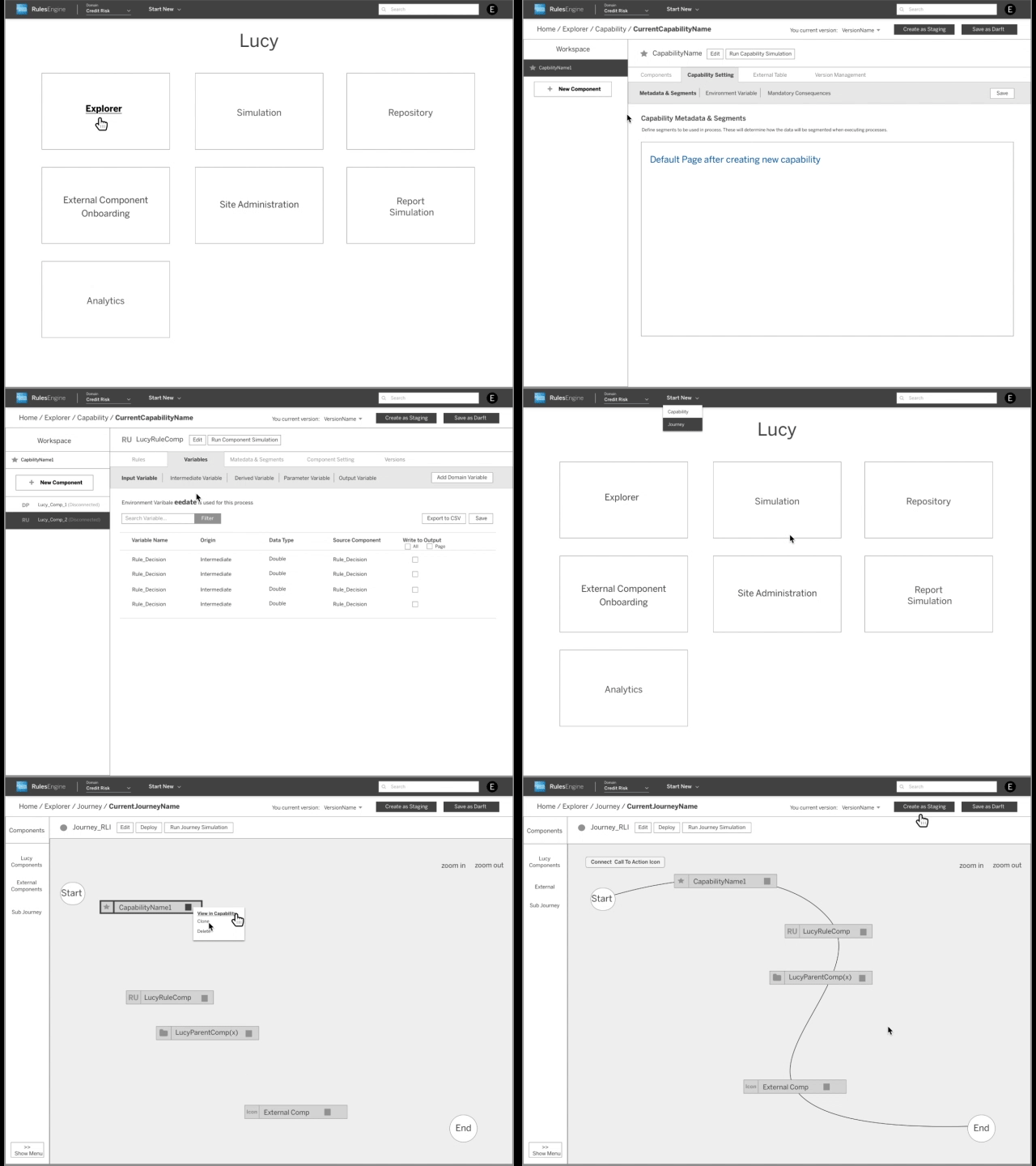
Examples of using quick mock ups to translate business requirements and user needs into design solution.
(To comply with my non-disclosure agreement, this video has been treated blur on purpose.)
Refine, Documentation, and Validation
Mid-High Fidelity Wireframe & Prototype
For most feature I have delivered, multiple surveys and A/B tests have been conducted during the entire design process. It provides me with data and feedback to move forward with some design directions as well as give up on unrealistic ones. After the initial prototyping and mockups, I am able to move forward the design that supported by users, business stakeholders, engineers, and project managers.
Also, I am able to move quickly with design while keep all iterations documented. From my experience, it helps a lot with communicating design and requirements with multiple departments as well as ensure the success of the implantation after design being passed to developers.


Clickable Prototype
Importing External Table
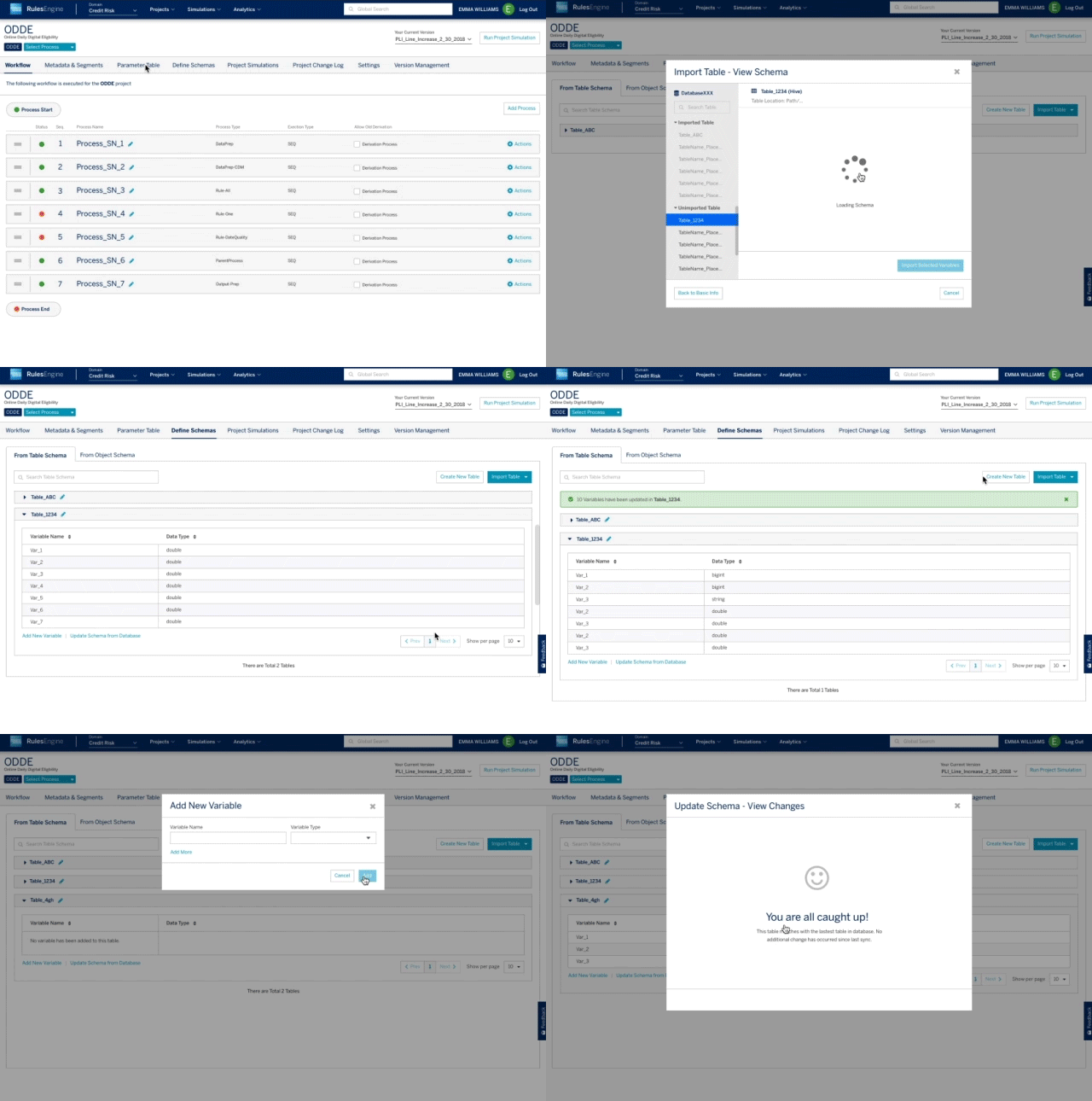
Sample of Prototype for Importing External Table

Main Feature
Version Management
Manage application's project versions to ensure little product development overlap.
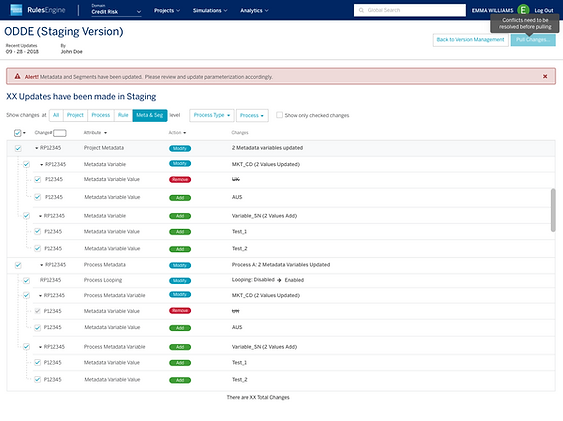


Main Feature
Release Management
Move metadata across and within application environments without involving the Lucy team.

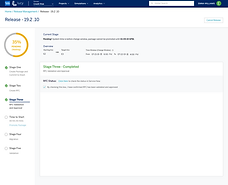


Main Feature
Rule Authoring
Manage business rules as a set of condition leveraging your own custom segmentation and parameterization.


Main Feature
Variable Authoring
Derive variables based on inputs to feed into subsequent rule conditions, consequences, derivations, or final outputs.


Main Feature
Simulation
Execute rules, processes, and journeys in test environments to view results and make any necessary changes.

